
IT and Engineering Teams
Setting up SuccessFund
Common set up questions
How can we enable Sign in with Google?
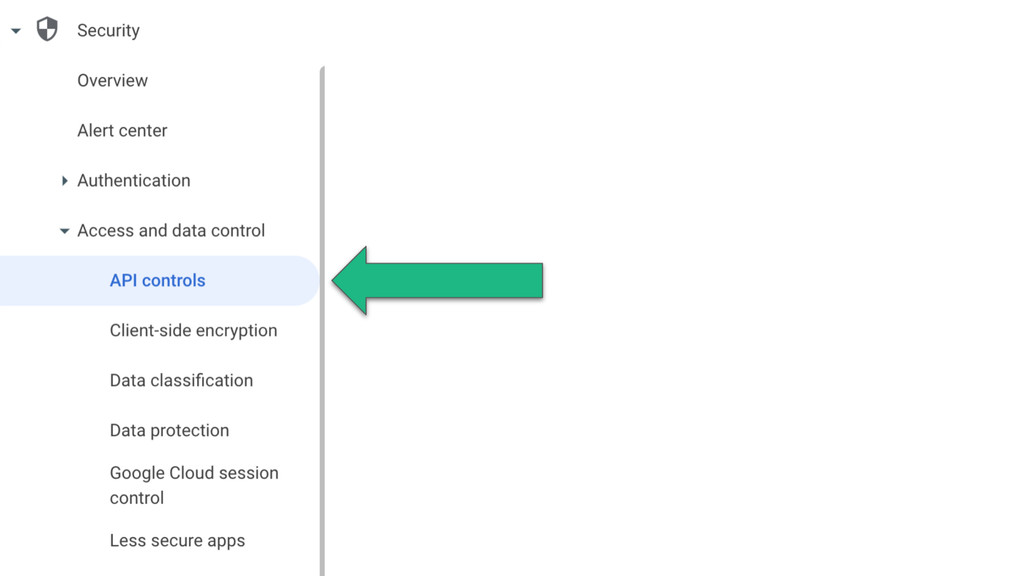
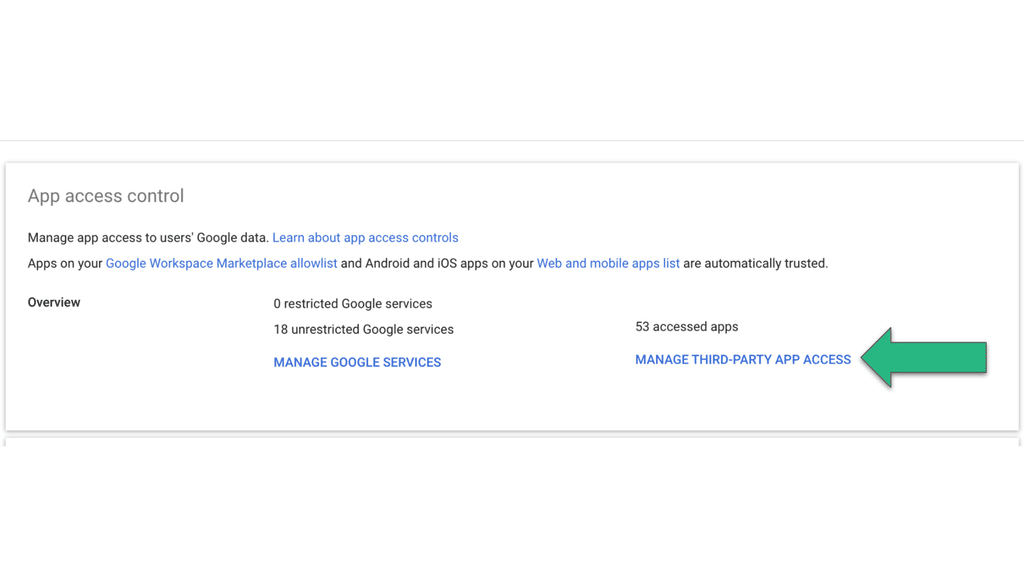
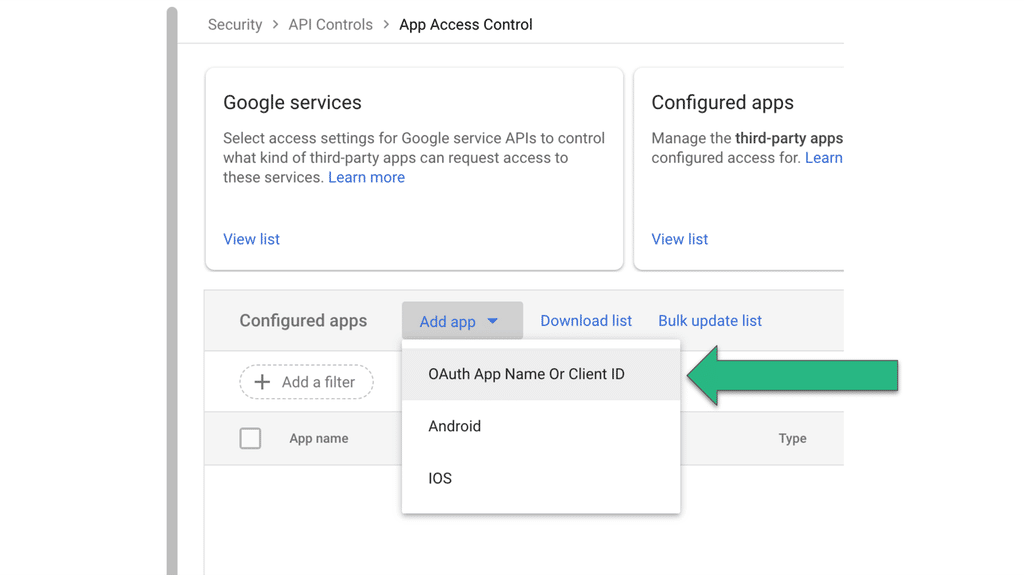
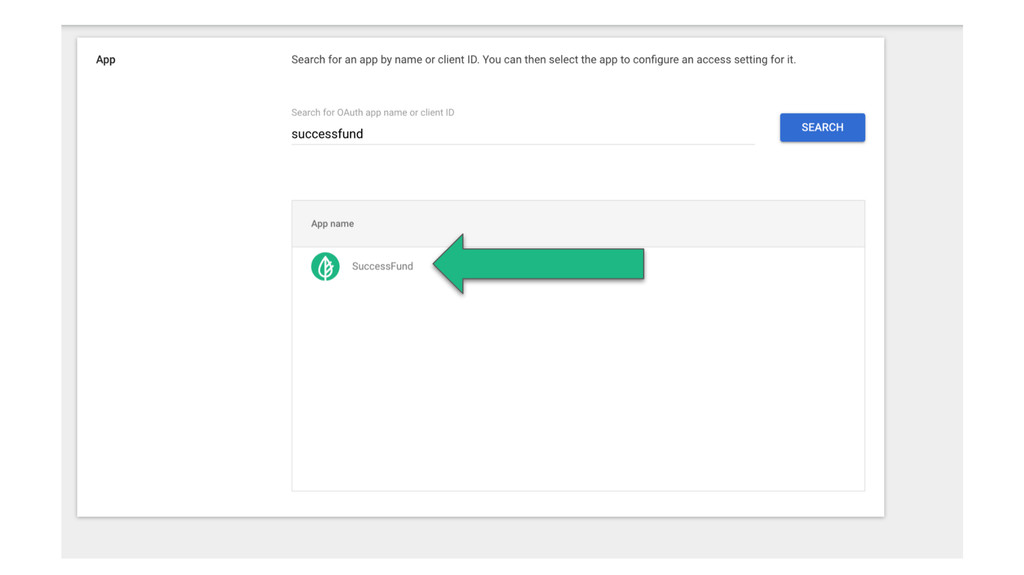
To enable Google OAuth for SuccessFund, you must give access to the SuccessFund app.
Do we need to configure MFA?
Multi-Factor-Authentication is important for account security. SuccessFund enforces MFA automatically for all email/password authentications for all users with elevated permissions. When users access their accounts through the district OAuth (SSO through Google or Microsoft), SuccessFund relies on the district systems administrators to manage MFA requirements for user accounts. SuccessFund strongly recommends MFA be enforced for all district and school administrators through the district OAuth provider.
Does SuccessFund support custom SSO providers?
SuccessFund supports sign-in with Microsoft and Google out of the box. Other SSO providers, such as Okta or SAML, are not a standard option. If your district requires one, contact support and we can talk through your needs.
Could network restrictions cause issues with card readers?
Network restrictions can prevent card readers from connecting. Network administrators should apply our domain allowlist (including all subdomains) to ensure that network restrictions do not interfere with in-person payments.
Request this list by sending an email to support@successfund.com.
Request this list by sending an email to support@successfund.com.
What email domains should we allowlist to ensure deliverability?
SuccessFund sends email notifications from a few different domains. Be sure to allowlist SuccessFund's sending domains so users can receive notifications about their campaigns and so administrators receive important alerts.
Request this list by sending an email to support@successfund.com.
Request this list by sending an email to support@successfund.com.
Where can I find additional technical support?
SuccessFund is here to help you achieve your goals in a safe and streamlined way. If you need help with any configuration settings, you can reach support here.