
3 steps for Parent Organizations
1. Email the leadership team
Copy and paste this quick note to your local Parent Organization Leadership Team(s).
Subject Line:
Fundraising Tool - SuccessFund
Parent Leaders,
I want to share some details about SuccessFund. It’s a tool that our Parent organizations (PTO, PTA, Community Council, etc.) can use to run really easy and successful fundraisers. I’m going to send you an invitation to join, but here are a few things that we’ll be able to do:
- Mobile Payments! With SuccessFund we can start accept donation and transact using Venmo! It also supports all the other modern payment methods.
- Student-level tracking. We can track donations by student to give prizes and incentives.
- Class and/or Grade Tracking. We can track donations by class or grade and do competitions. Everyone will be able to see the progress publicly on the leaderboard.
- Pre-built marketing tools. There are auto-generated flyers with QR codes and customizable links that make it easy for us to get the word out.
- Sell products online. We can pre-sell our T-shirts or anything else we want to sell (like memberships), and it’s all on a single page so our parents only need to go to one link.
- Everything in one place. We can even track transactions that happen offline (cash and checks) so that you have one single record, and the kids still get credit.
- Easy set up. It’s apparently pretty easy to set up, but let’s take a look and see if it fits our needs.
Like I said, I need to send you an invite. So keep an eye out for that coming soon. You can also check out more details here:successfund.com
Thanks!
2. Send Invitations
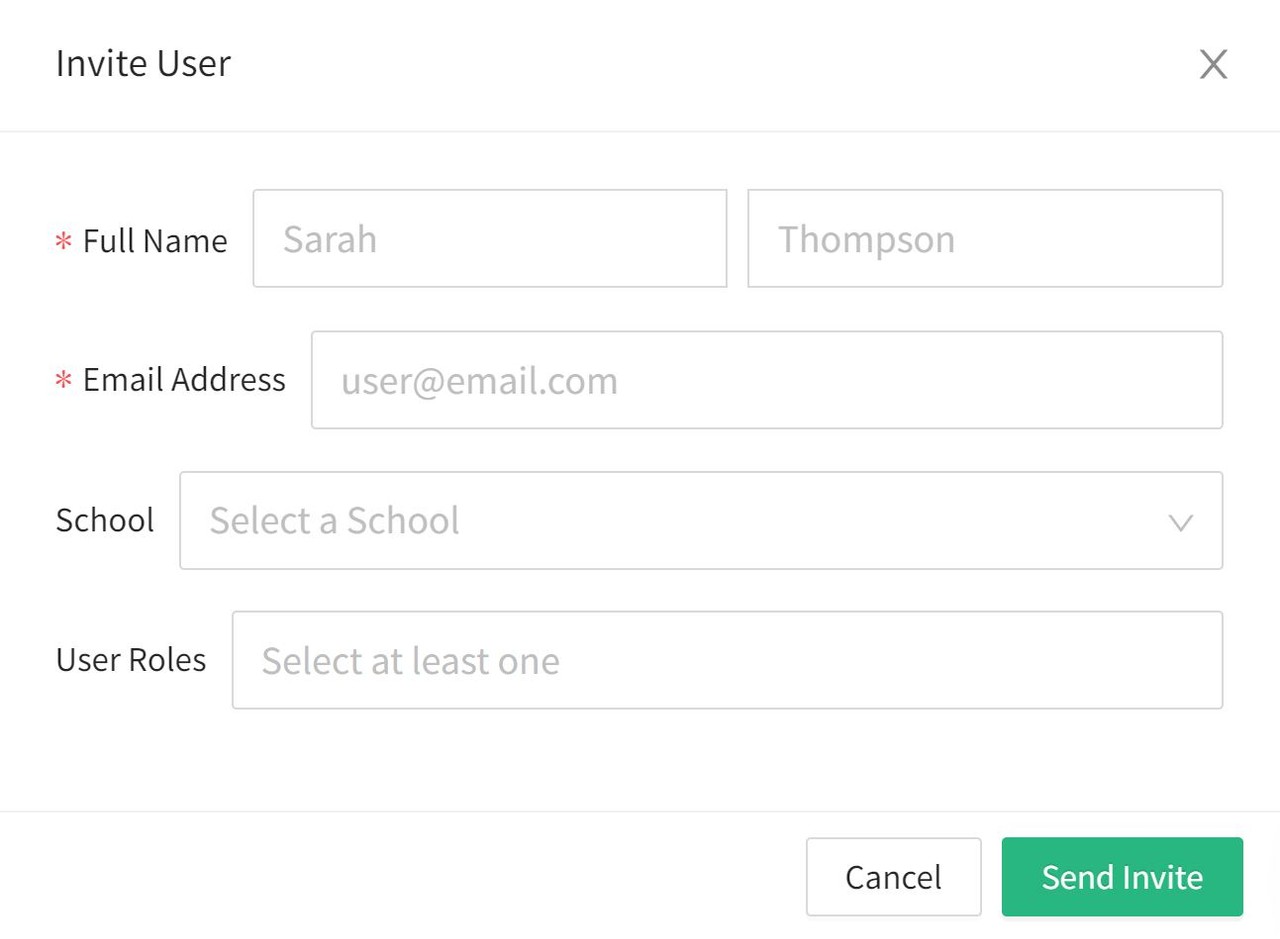
Add your Parent Organization Leadership team to your SuccessFund group by sending out invites. Send invitations using the icon in the top right corner of your screen when you’re logged in, or from the users tab. Find it here: successfund.com/admin/users
3. Create your campaign and Add Collaborators
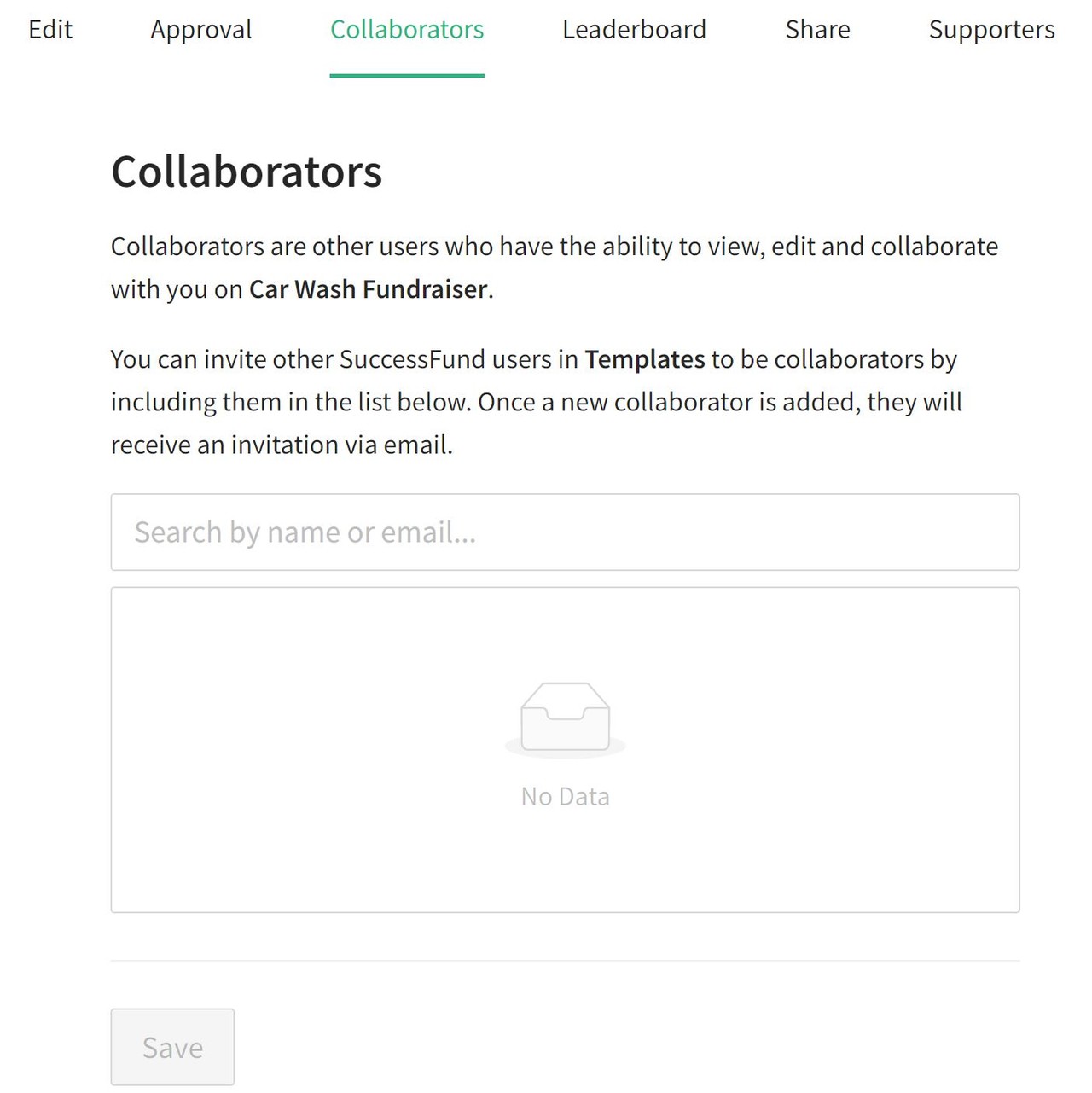
Once you’ve created your campaign, don’t forget to add collaborators. If your collaborator hasn’t signed up yet, you can send them an invite to join right here too!(Use the Collaborators tab along the top)

Bonus: Schedule a training
SuccessFund is pretty user friendly and self-explanatory, but there’s no harm in taking the time to talk through it. Schedule some time for the SuccessFund team to meet with your leadership team. Flexible virtual meetings work great for this!